Imagine having a personal assistant that doesn’t just answer your questions but actually performs tasks on your behalf. We are currently moving beyond the era of simple chatbots into the age of autonomous systems. Learning how to use ai agents is no longer a futuristic skill—it is a competitive necessity in today’s fast-paced digital landscape.
Whether you are a business owner looking to automate lead generation, a researcher needing to synthesize thousands of documents, or a hobbyist wanting to streamline daily chores, AI agents offer a level of agency that standard AI models lack. In this comprehensive guide, we will explore the architecture of these agents, the best tools available, and a step-by-step roadmap on how to use AI agents to transform your workflow.
Table of Contents
- What is an AI Agent? Understanding the Basics
- AI Agents vs. Standard Chatbots: Key Differences
- Step-by-Step: How to Use AI Agents Effectively
- Top AI Agent Platforms and Tools in 2024/2025
- Real-World Use Cases for AI Agents
- Best Practices for Prompting and Management
- Challenges and Ethical Considerations
- Conclusion and Next Steps
What is an AI Agent? Understanding the Basics
To understand how to use ai agents, we must first define what they are. Unlike a standard Large Language Model (LLM) like GPT-4, which waits for a prompt to provide a response, an AI agent is designed to achieve a goal autonomously.
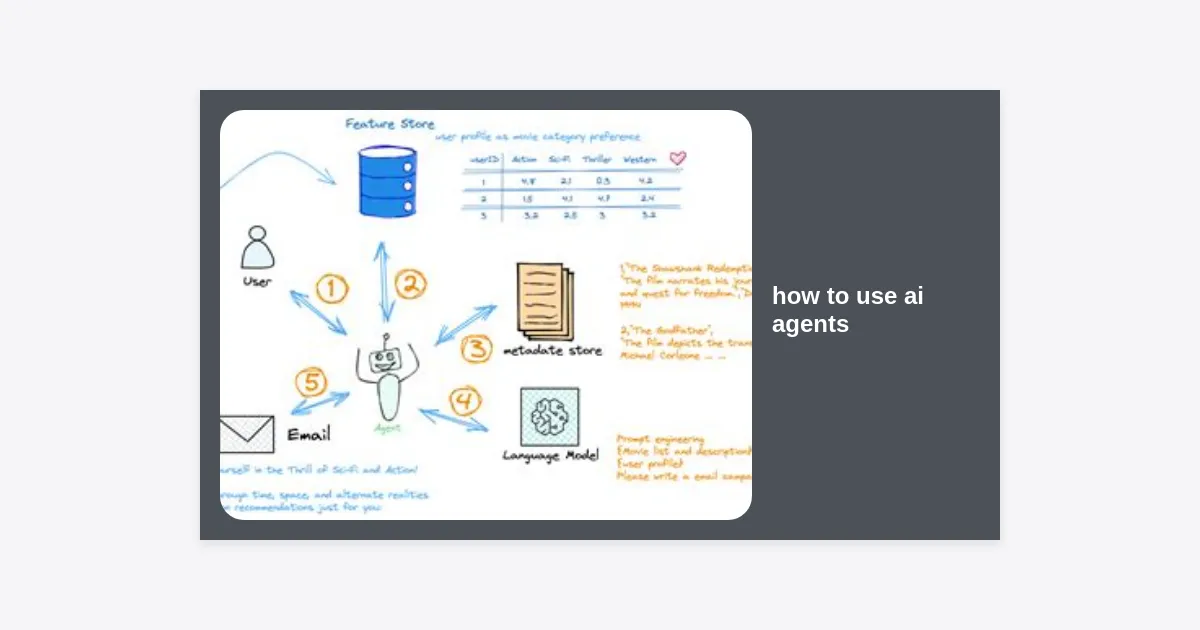
An AI agent operates in a loop: it perceives its environment, reasons about the next steps, and takes actions using external tools. It can browse the web, access your files, send emails, and even write code to solve a problem it encounters. This “reasoning loop” is what makes them so powerful.
According to recent industry data, the global AI agent market is expected to grow by over 40% annually through 2030. This growth is driven by the shift from “AI as a consultant” to “AI as a worker.”
AI Agents vs. Standard Chatbots: Key Differences
Many people confuse ChatGPT with an AI agent. While ChatGPT can *act* like an agent with certain plugins, a true agent has a higher degree of autonomy.
- Initiative: Chatbots are reactive; they only speak when spoken to. Agents are proactive; once given a goal, they can work for hours or days without human intervention.
- Memory: Agents often have long-term memory, allowing them to learn from past mistakes and refine their strategies over time.
- Tool Use: While a chatbot might tell you how to book a flight, an agent will actually navigate to the website, compare prices, and prepare the booking for your approval.
Step-by-Step: How to Use AI Agents Effectively
Learning how to use ai agents requires a shift in mindset from “giving instructions” to “defining objectives.” Follow these steps to get started.
Step 1: Define a Clear Objective
The most common mistake when using AI agents is being too vague. Instead of saying “help me with marketing,” say “research the top 5 competitors in the SaaS CRM space and create a comparison table of their pricing and features.”
Step 2: Choose the Right Environment
Depending on your technical skill, you might use a no-code platform like AgentGPT or a developer framework like CrewAI. Your choice should depend on the complexity of the task and your comfort with technology.
Step 3: Provide Necessary Tools
For an agent to be effective, it needs “hands.” This means giving it access to APIs, web search capabilities, or specific software integrations. Most modern agent platforms allow you to toggle these tools on or off.
Step 4: Set Constraints and Guardrails
Because agents are autonomous, they can sometimes “hallucinate” or go down rabbit holes. Set limits on how many loops they can perform or how much money they can spend on API calls. Always include a “human-in-the-loop” requirement for sensitive actions like sending emails to clients.
Step 5: Monitor and Iterate
Watch the agent’s thought process. Most platforms show a “log” of what the agent is thinking. If you see it getting stuck, you can intervene, provide a hint, and let it resume its work.
“The magic of AI agents isn’t just in the output, but in the hours of cognitive labor they save by managing the ‘how’ so you can focus on the ‘why’.”
Top AI Agent Platforms and Tools in 2024/2025
If you are wondering how to use ai agents today, here are the leading platforms categorized by user type:
1. For Beginners: AgentGPT and Godmode.space
These are web-based interfaces where you simply type a goal, and the agent begins working in your browser. They are excellent for research and simple planning tasks.
2. For Productivity: Zapier Central
Zapier Central allows you to create agents that interact with over 6,000 different apps. You can teach an agent to watch your Slack channel and automatically summarize key decisions into a Google Doc.
3. For Developers: CrewAI and Microsoft AutoGen
These frameworks allow you to coordinate “crews” of multiple agents. For example, one agent can be a “Researcher,” another a “Writer,” and a third an “Editor.” They work together to produce a high-quality final product.
4. For Web Navigation: MultiOn
MultiOn is a specialized agent that can navigate the live web. It can handle complex tasks like ordering food, booking travel, or filling out long forms that standard APIs can’t reach.
Real-World Use Cases for AI Agents
To truly master how to use ai agents, you should look at these practical applications that are delivering value right now:
- Automated Market Research: An agent can scan social media, news sites, and forums to give you a weekly report on industry trends.
- Personalized Outreach: Sales teams use agents to research a prospect’s recent LinkedIn posts and draft a highly relevant, non-generic email.
- Software Development: Agents can be tasked with writing unit tests for existing code or finding bugs in a specific repository.
- Content Orchestration: From SEO keyword research to drafting and formatting, agents can handle the entire content lifecycle.
Free Resource: AI Agent Workflow Template
Ready to start? We have created a comprehensive checklist to help you deploy your first agent without errors. Download our guide to skip the learning curve.
Best Practices for Success
Success with AI agents depends on how you manage them. Here are expert tips on how to use ai agents like a pro:
1. Use the “Role-Task-Format” Framework: When setting up an agent, define its role (e.g., “Senior Financial Analyst”), its specific task (“Analyze this Q3 report”), and the desired output format (“A 3-bullet point summary for an executive”).
2. Start Small: Don’t try to automate your entire business on day one. Start with a single, repetitive task—like sorting through support tickets—and expand from there.
3. Keep Your API Keys Secure: Since many agents require access to your accounts, ensure you are using reputable platforms and never share your API secret keys in public forums.
Challenges and Ethical Considerations
While learning how to use ai agents is exciting, it comes with responsibilities. Agents can occasionally enter “infinite loops,” where they repeat the same unsuccessful action, wasting computational resources and money.
Ethically, transparency is key. If an AI agent is interacting with customers or clients, it is best practice to disclose that the interaction is automated. Furthermore, always verify the output of an agent before using it for critical business decisions, as they are still prone to the underlying biases of the LLMs they are built upon.
Conclusion and Next Steps
The transition from manual tools to autonomous agents is the biggest shift in computing since the invention of the internet. By understanding how to use ai agents, you are positioning yourself at the forefront of this revolution.
Key Takeaways:
- AI agents are goal-oriented and autonomous, unlike reactive chatbots.
- Start with clear objectives and set strict guardrails to ensure efficiency.
- Leverage tools like Zapier Central for no-code automation or CrewAI for complex multi-agent workflows.
- Always maintain a “human-in-the-loop” for final verification.
Your next step is to choose one repetitive task you perform daily and try to automate it using one of the beginner-friendly tools mentioned above. The future of work is not just about working harder, but about managing the agents that work for you.